
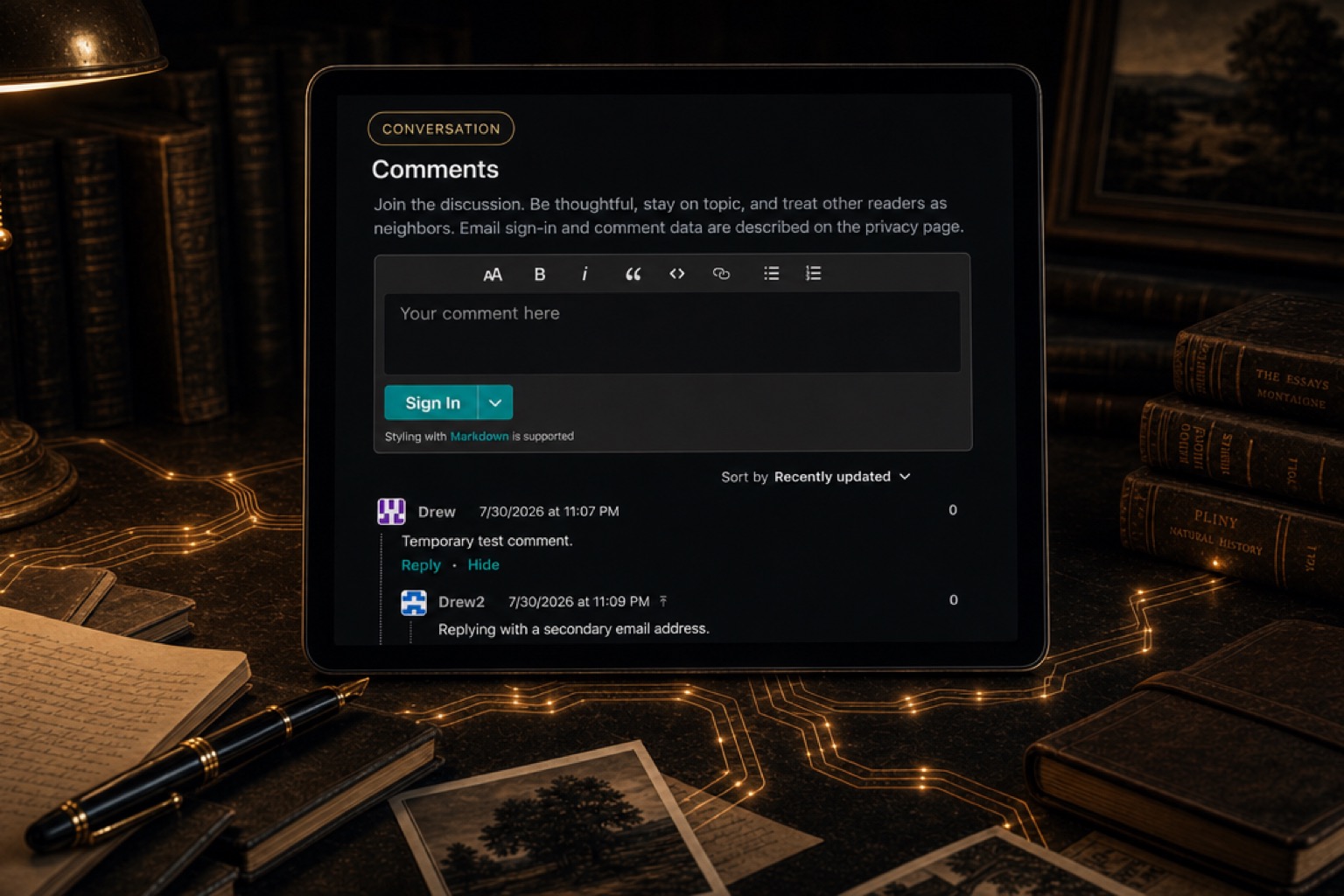
Comments are now live on The Drew Archive.
Until now, publishing here has mostly been one-directional. I could write an article, and readers could respond somewhere else—by email, in a private message, or on whichever platform happened to link to it. Those responses were useful, but they were separated from the article that prompted them.
The site has increasingly become a home for essays, notes, technical experiments, books, religion, history, and the other subjects I keep returning to. Those subjects naturally invite corrections, sources, disagreements, and related experiences. I wanted readers to have a simple way to leave those responses directly on the site.
I did not want to turn The Drew Archive into another social network or ask everyone to create yet another password. The result is a comment system built with Remark42, hosted alongside the site, with one-time email login links delivered through Resend.
Why Add Comments? #
The best reason for adding comments is that a useful response can remain connected to the piece that prompted it.
A correction beneath the original article helps the next reader. A source or piece of context can make the page more useful over time. A thoughtful disagreement has more value beside the argument than it does as a disconnected reply on a social-media feed.
That does not make comments an unquestioned good. They create moderation and maintenance responsibilities, and any public discussion can go off course. I am treating this as an experiment worth trying, not pretending that a comment box automatically produces good conversation.
The standard is simple: be thoughtful, stay on topic, and treat other readers as neighbors.
Why Remark42? #
I chose Remark42 because it fits the way I want to run the site.
It is open source, lightweight, and self-hosted. It works with a static site such as this one without requiring me to hand the discussion layer to a large social platform. The comment service runs on the same Vultr server as the website, behind the same HTTPS domain, while the comments and moderation data remain in a database I control and back up.
Remark42 also provides the practical things I needed—moderation, notifications, subscriptions, and several ways to sign in—without trying to become the center of the site. That balance mattered more to me than having the longest possible feature list.
Login Without Another Password #
Readers can sign in with a one-time link sent to their email address.
The process is straightforward: enter an email address, receive a link or token, and use it to sign in. There is no new password to create or remember.
Sending reliable login links is a different job from hosting a website, so I did not try to run a mail server on the VPS. Remark42 sends its login links and reply notifications through Resend using a dedicated comments.thedrewarchive.com sending subdomain.
Namecheap remains responsible for the domain’s DNS. I added the authentication records Resend required without changing the records that point the website to Vultr. DKIM adds a cryptographic signature to outgoing messages. SPF identifies Resend as an approved sender. DMARC supplies policy and reporting around those checks.
The Resend credential is kept in a separate root-owned environment file on the server with 0600 permissions. It is readable by the service when it starts, but it is not in Git, Hugo’s generated HTML, frontend JavaScript, or deployment output.
How It Fits Into the Site #
I did not want the comment interface to dominate the page.
The full discussion remains near the bottom of each article, after the main text and related navigation. Directly after the tags near the top, there is now a small interaction row with a comment bubble and the current count. Clicking it jumps to the discussion.
That gives readers an obvious entry point without interrupting the essay itself. Someone who wants to read can continue reading. Someone who wants to see the discussion can get there immediately.
The Drew Archive uses Hugo with the Blowfish theme, but its article pages already have a custom layout. I added the top row to that layout and kept the full Remark42 interface in a separate comments partial. Remark42’s counter script replaces the initial zero with the live count after it loads. A small JavaScript observer switches correctly between “1 comment” and “2 comments.”
The jump is still a normal #comments link if JavaScript is slow or unavailable. Smooth scrolling and a CSS offset keep the fixed header from covering the destination. I also added a right-aligned bubble and live count to article cards, so readers can jump to a discussion directly from an archive page. The styling remains compact on mobile.
Why There Is No View Counter #
I considered adding a public view counter at the same time, but decided against it.
A comment is relatively clear: a reader chose to respond. A “view” is much less precise. Does a refresh count? Does a bot count? Does opening the page for three seconds count? How much reader activity should the site store to produce that number?
Those questions may be worth solving later, but they are separate from the goal of adding discussion. For now, the visible number on an article reflects comments, not passive traffic.
Putting It Into Production #
The visible feature is a comment box. Most of the production work happened around it.
Remark42 was already running in preview as a native systemd service rather than a Docker container. I promoted that setup to a hardened production service named remark42.service. nginx continues to serve the static Hugo site and forwards only requests under https://thedrewarchive.com/remark42 to the local comment service. All public login and comment traffic uses HTTPS, and browser access is restricted to the production site.
I preserved the existing signing secret and BoltDB database during the promotion. The database lives in a persistent directory on the host, so restarting or replacing the service does not erase comments or moderation data.
Server snapshots are useful, but I did not want them to be the only backup. A systemd timer now creates a Remark42 application backup every night, verifies the compressed archive, stores it outside the active data directory, and keeps 30 days of copies.
Before calling the rollout complete, I tested email login from two separate accounts, posted comments and replies, received administrator notifications, checked Resend’s delivery logs, restarted Remark42, and confirmed that the comments remained. I also tested the live count, singular and plural labels, jump link, moderator controls, HTTPS routing, and backup integrity.
One real problem appeared during moderation testing. Administrator notifications were reaching the correct email address, but that did not mean the signed-in Remark42 identity had moderator controls. I had to assign the actual Remark42 user ID as an administrator and sign in again to receive a new session. After that, the moderation actions appeared.
I kept the temporary development login available until the real email flow worked in production. Only after both test accounts could sign in and comment did I disable it. That was the larger lesson from the project: making a widget appear is easy; authentication, secrets, persistence, moderation, backups, and rollback are what make it a production feature.
Try It #
The comment section is live now. If you notice something I got wrong, have a useful source to add, disagree with my conclusion, or simply want to respond, you can do it directly below.
I expect the feature to change as I see how people use it. For now, scroll down and try it. You may even be the first person to turn that 0 comments into 1 comment.
Comments
Join the discussion. Be thoughtful, stay on topic, and treat other readers as neighbors. Email sign-in and comment data are described on the privacy page.