

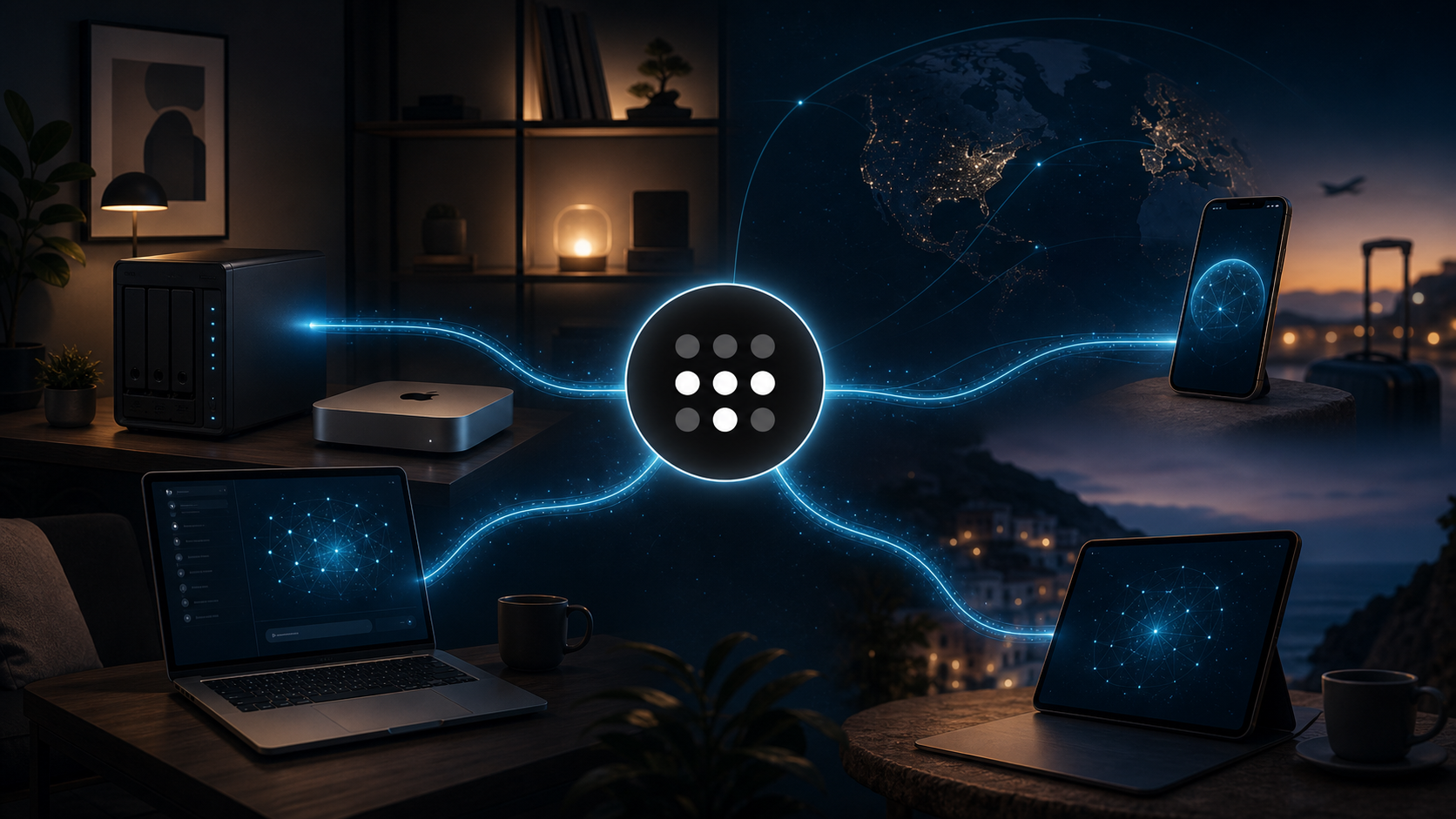
I’ve been slowly building out more self-hosted services at home, and one of the tools that has surprised me the most is Tailscale.
It’s one of those services that I understood conceptually before I really understood why I wanted it.
Tailscale essentially creates a private network between your devices. Install it on your computers, servers, NAS, phones, or tablets, sign them into the same Tailscale network, and suddenly those devices can securely communicate with each other regardless of where they physically are.
Your laptop can be at home. Your phone can be hundreds of miles away. As far as your private Tailscale network is concerned, they can still talk to each other.
And once I started actually using that, Tailscale clicked for me.
Jellyfin Was the Killer Use Case #
The thing that really sold me on Tailscale was Jellyfin.
I have a Jellyfin media server running from my NAS at home. Before Tailscale, Jellyfin was mostly something we used while we were on our home network.
Now I have Tailscale running on the NAS and on my iPhone, which means I can securely connect back to Jellyfin from essentially anywhere.
That has been huge.
We recently traveled to Indianapolis to visit my parents, and the kids ended up getting sick while we were there. That meant a lot more slow days around the house than we originally expected.
Being able to pull out my phone and immediately access our entire Jellyfin library was a lifesaver.
And there is another reason I really like having our own media library available when we travel: we control what the kids are watching.
We aren’t handing them a streaming app and letting an algorithm decide what gets promoted next. We choose the movies and shows that go into our library.
There are also no commercials.
No ads between episodes. No increasingly obnoxious streaming-service ad tiers. No waiting through commercials when a sick three-year-old just wants to watch a familiar movie.
It’s our media, running from our server, delivered to our devices.
Tailscale turned Jellyfin from a home media server into something that actually travels with us.
Local AI From My Phone #
The other use case I’ve now set up is my MacBook Pro.
My MacBook Pro is one of the machines I use for running local AI models. I use Open WebUI as the interface for interacting with those models, and normally I access it on the laptop at:
http://localhost:3000
The problem with localhost is right there in the name: it’s local.
Tailscale changes that.
I installed Tailscale on the MacBook Pro and used Tailscale Serve to make my local Open WebUI instance accessible through my private Tailscale network.
That means I can now pull out my iPhone, open Open WebUI, and send prompts to a model that is actually running inference on my MacBook Pro back at home.
The basic architecture looks like this:
iPhone → Tailscale → MacBook Pro → Open WebUI → Local AI Model
The phone is basically just the interface.
The actual compute is happening on the MacBook Pro.
That is a pretty fantastic capability to have, particularly because it means I can take advantage of the hardware I already own rather than relying entirely on cloud AI services.
They Basically Feel Like Normal iPhone Apps #
One small thing that makes the whole setup even better is adding the web interfaces to my iPhone home screen.
I’ve done this with both Open WebUI and Jellyfin.
From Safari, I can add each one to the home screen, give it an icon, and launch it like any other application.
So from my perspective, I now effectively have:
- A Jellyfin app connecting securely to my NAS at home.
- An Open WebUI app connecting securely to the local AI models running on my MacBook Pro.
I don’t really have to think about the networking underneath it once everything is configured.
That is probably one of the biggest compliments I can give Tailscale.
The networking disappears.
What Tailscale Is Actually Doing #
Underneath all of this, Tailscale is creating a private encrypted network—often called a tailnet—between my devices.
Rather than opening ports on my router and exposing Jellyfin, Open WebUI, or other internal services directly to the public internet, I can keep those services private and access them through Tailscale.
Tailscale uses WireGuard for its encrypted connections, but handles most of the configuration that would otherwise make building and maintaining a WireGuard network considerably more annoying.
For a home-lab environment, that combination is incredibly useful.
I can put Tailscale on:
- My MacBook Pro
- My Mac Mini
- My NAS
- My iPhone
- Other computers
- Tablets
- Servers
…and those machines can become part of the same private network.
As of 2026, Tailscale’s free Personal plan allows unlimited user devices and up to six users, which makes it remarkably generous for a household or personal home lab. (Tailscale)
That means I can eventually give other members of the family controlled access without having to turn the whole thing into a paid business networking setup.
Next: Moving Jellyfin to the Mac Mini #
The next thing I want to change is where Jellyfin itself runs.
Right now, the NAS is both storing the media and running Jellyfin.
My NAS is older and doesn’t have a particularly powerful processor. That wasn’t a huge problem when Jellyfin was primarily being used around the house, but remote access makes the service considerably more useful—and potentially more heavily used.
I also have a Mac Mini on the local network.
My plan is to move the Jellyfin server application to the Mac Mini while leaving the actual movie and TV library on the NAS.
The architecture would become:
NAS → stores media
Mac Mini → runs Jellyfin
Tailscale → provides remote access
Phones / tablets → play the media
That lets the NAS concentrate on what a NAS is good at: storing and serving files.
The Mac Mini can handle the application workload, including Jellyfin’s processing and any transcoding that becomes necessary.
I expect that to be a substantial improvement over asking the aging NAS to do everything itself.
Tailscale Has Become Foundational Infrastructure #
The more I use Tailscale, the more use cases I find for it.
Initially, it was just another piece of infrastructure I wanted to experiment with.
Then Jellyfin made it click.
Now I’m using it for local AI access.
Next it will probably become part of how I access additional services running on my Mac Mini, NAS, and other machines.
That is what makes Tailscale so compelling to me.
It isn’t really a Jellyfin tool.
It isn’t an AI tool.
It isn’t a NAS tool.
It’s the private network connecting all of those things together.
I can have a service running on a computer in my house and securely access that service from another one of my devices almost anywhere.
For someone increasingly interested in self-hosting, local AI, owning my media, and running more of my own infrastructure, that is an extraordinarily useful capability.
Tailscale has quickly become one of my favorite services that I’ve set up.
I highly recommend it.
Comments
Join the discussion. Be thoughtful, stay on topic, and treat other readers as neighbors. Email sign-in and comment data are described on the privacy page.